Pay2Play

The information below is for clubs using Pay2Play.
Tennis NZ and Pay2Play have partnered to create an Application Programming Interface (API) that allows our software programs to communicate with the Tennis NZ National Database.
What does this mean for your Club?
• This will save a lot of administration as you now only need to keep one active membership database of your members which can be fed into the Tennis NZ National Database
How does it work?
• You tag the members in the Pay2Play membership management database with the TennisNZ tag. We send this information to the Tennis NZ national database daily via the API
Administrator Tagging Instructions
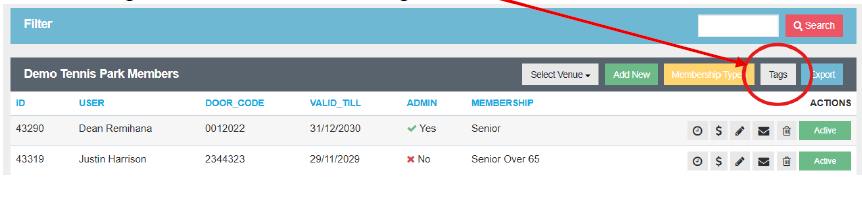
1. Click on manage members and then on the Tag button
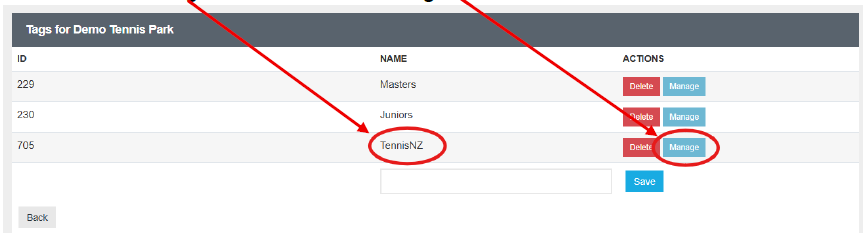
2. You will see a new Tag “TennisNZ” click on Manage
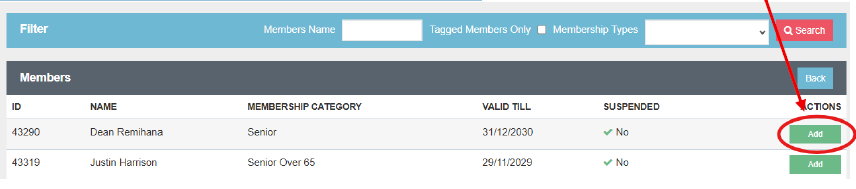
3. Select the members that you want to share their data to Tennis NZ by clicking on the green add box. You can also use the search function to search for members.
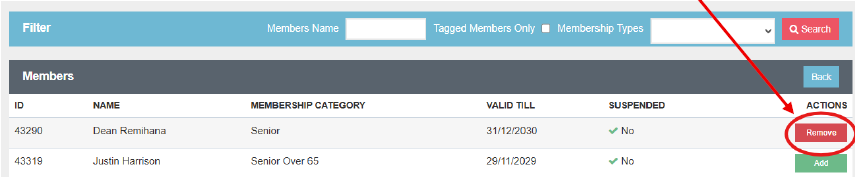
4. When you click on the add box the box will change colour to Red Remove. If you want to remove the tag, just click on the Red Remove box and this will remove the tag.
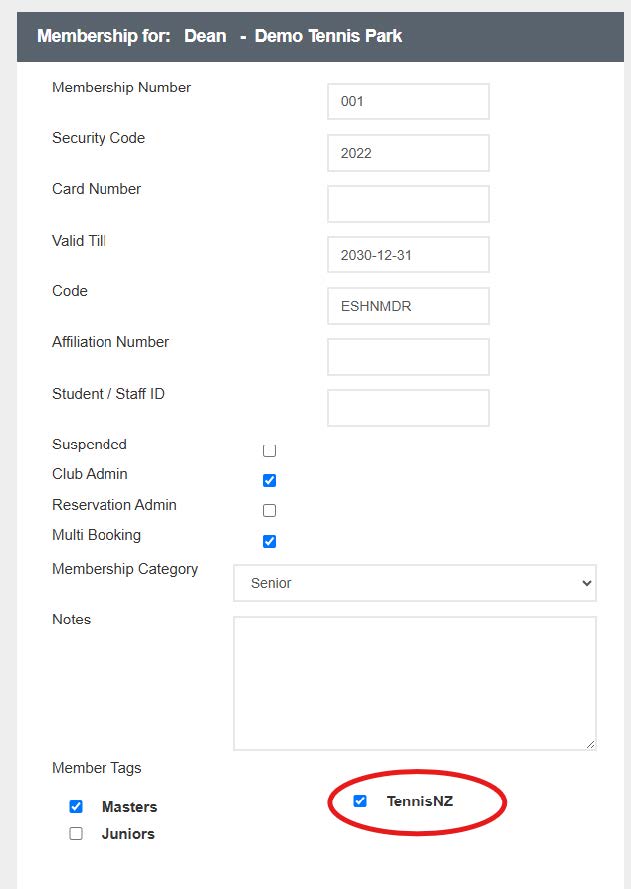
5. You can also add and remove tags directly from a member profile. Go to Manage members, search for the member and click on the icon of the pencil

6. You will see the members tags ticked in their profile. You can tick or untick the tag from this page.
Our Partners